
Sep 5, 2026
golf tournament program template free, golf tournament programs, golf event templates, tournament planning, sponsor program design
Compare 10 golf tournament program template free resources by format, use case, pros, cons, customization, printing, and distribution tips.

Your tournament is close, sponsors want visible placement, players need schedules and rules, and staff need a file they can update without rebuilding the design from scratch. The right golf tournament program template free option depends on the job: a polished multi-panel handout, a simple Word document, a one-page flyer, or a digital-first layout.
This comparison focuses on the details that affect tournament day, including format, editing workflow, export restrictions, customization effort, and print readiness. Some tools produce attractive promotional material but fall short as operational programs. Others look plain but make pairings, tee times, rules, and sponsor acknowledgments easier to maintain. The list stays focused on program and event-production tools, not unrelated video resources.
1. Canva
Canva is the quickest choice when the program needs to look finished before the organizing team has time to learn desktop publishing software. Its golf template library includes golf-oriented flyers, brochures, rack cards, social graphics, and layouts that can be adapted into a tournament handout. The dedicated program category is useful when you need to combine a welcome message, agenda, tee times, pairings, contests, and sponsor panels in one branded file.
The drag-and-drop editor keeps routine changes simple. Replace the course photo, update the registration time, upload the tournament logo, and apply the event colors without rebuilding every page. Canva also provides free fonts, icons, and photos, with PDF and PNG export options for printing or digital sharing. Its brand tools help a committee keep flyers, programs, social posts, and signage visually consistent.
Best fit and practical limits
Canva works particularly well for a charity outing or corporate tournament where sponsor visibility matters as much as the schedule. It's also a sensible option when the same content must be adapted for a printed program, an email attachment, and a mobile image.
The free tier still requires careful asset checking. Some templates, photos, icons, and design elements are restricted to Canva Pro, and the free workflow offers limited control over professional print settings such as CMYK and bleed. A file can look excellent on screen and still need review at the printer.
Customize first: Replace every sample date, course name, contact detail, prize reference, and sponsor logo.
Check before export: Confirm that every selected asset is available on the free plan.
Use a companion resource: Organizers creating a matching invitation can also use these golf tournament invitation templates.
Practical rule: Keep the program readable at normal handout size. Decorative elements should never compete with tee times or registration instructions.
Add a print test before ordering a batch. Canva is fast, but speed makes it easy to overlook a placeholder or choose a low-resolution image.

2. Adobe Express
Adobe Express is a strong alternative when the organizer wants a polished design system without committing to a full desktop publishing workflow. Its free golf tournament flyer templates can be used for promotion, check-in sheets, or concise day-of programs. General flyer, brochure, and program layouts provide more room for schedules, sponsor recognition, course information, and rules.
The web editor supports brand asset uploads and quick PDF or PNG exports. One-click resizing is useful when the same announcement needs to move from a printed page to a digital post. Generative text-to-template features can also help speed up an initial layout, although the resulting design still needs human editing. Tournament staff should verify that the generated text hasn't altered a date, format name, registration instruction, or sponsor description.
Where Express earns its place
Adobe Express suits a committee that wants easy collaboration and consistent branding across several event materials. A communications volunteer can prepare the visual structure, while a tournament director checks logistics and sponsor placement in the browser.
The main limitation is the free and paid boundary. Some templates and assets require a subscription, and advanced print controls remain more basic than those available in professional desktop design tools. Check the export screen before final approval, especially if a printer requests specific bleed, color, or file settings.
A practical program layout might use the cover for the event identity and principal sponsor, the interior for tee times and rules, and the final panel for contacts, charity information, and supporting sponsors. That structure keeps the promotional message visible without pushing essential player information into small type.

3. Microsoft Create and Word
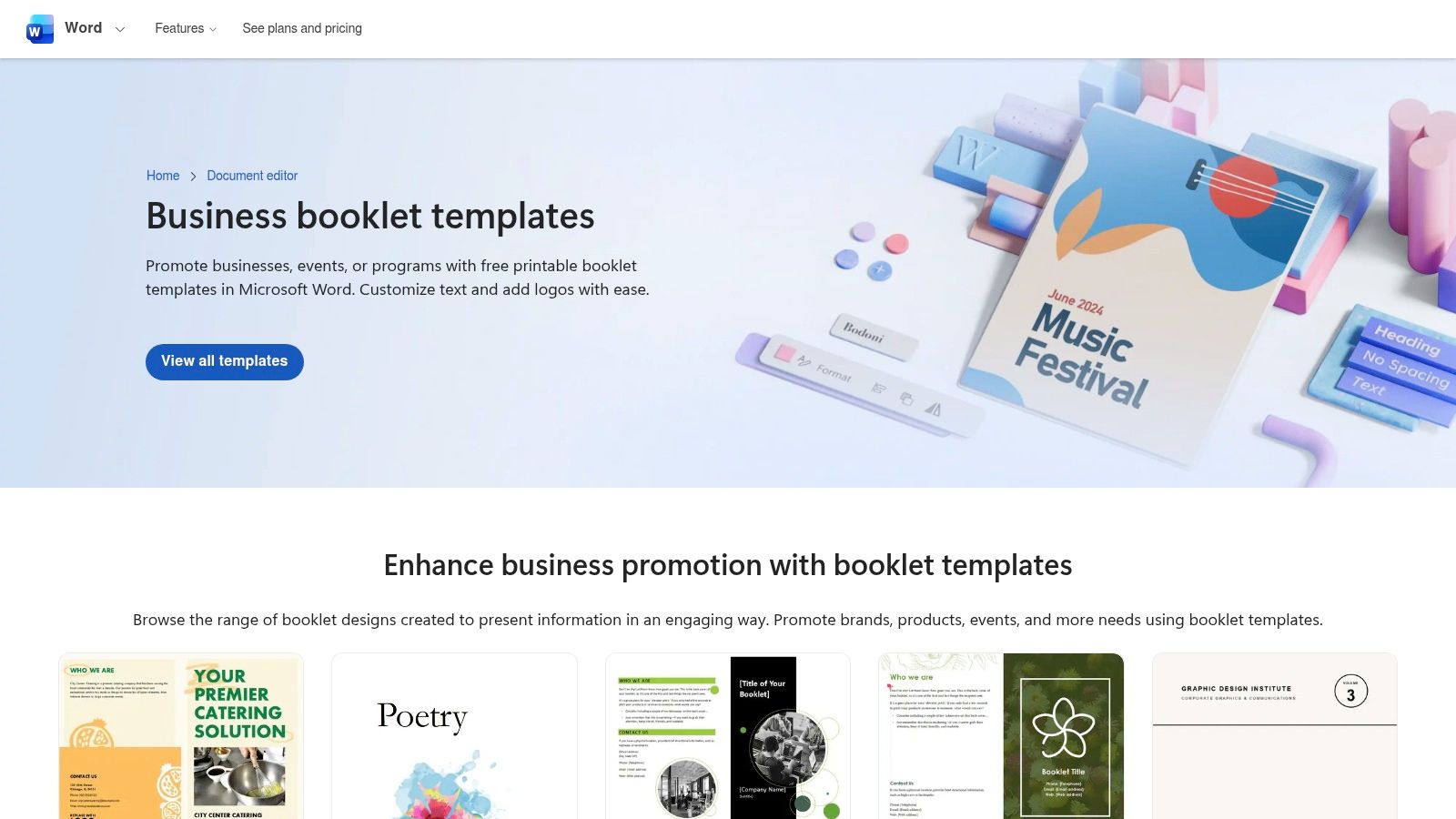
A Word program is often the most practical choice when several people must edit the file and nobody wants to manage a new design platform. Microsoft Create's booklet templates include event-program and half-fold layouts that can be adapted for a golf tournament. Staff can add the order of events, pairings, sponsor acknowledgments, course details, and contact information using an interface they already understand.
Word is especially useful for a classic printed program. The document can be edited in Word desktop or Word for the web, reviewed by committee members, and sent to a familiar printer. Tables, headings, and page breaks make a text-forward schedule easier to maintain than a heavily layered visual design.
Best use for office-based teams
Choose Word when the content changes frequently or when the person responsible for the final file is more comfortable editing text than arranging design elements. It's also a good fit for a club event with modest visual requirements and a short print run.
The trade-off is presentation. Word offers fewer golf-specific designs out of the box, so an untouched template can look corporate or generic. Add the event logo, course photography, a restrained color palette, and clear sponsor treatments rather than forcing the document into a poster-style design.
Use a consistent heading structure for registration, warm-up, start, contests, awards, and contacts. Before printing, inspect the document in print preview and check that tables don't split awkwardly across pages. Organizers preparing the registration process can pair the program with this golf tournament registration form template in Word.
4. TheGoodocs
TheGoodocs makes sense for a committee that already works in Google Workspace. Its printable event program template can be duplicated to Google Drive, populated with event information, and shared for review. A Microsoft Word version is also available for teams that need an offline file.
The template isn't golf-themed by default, which is both its strength and its weakness. The plain structure gives organizers a clean starting point for a welcome message, tournament schedule, player pairings, rules, sponsor list, and contact details. It won't, however, deliver the visual identity of a golf-specific flyer without additional work.
What to customize
Start by adding the tournament logo, course image, event colors, and any charity or company language. Replace generic headings with terms that match the actual outing, then decide whether the document is a folded handout, a two-page sheet, or a digital PDF. Keep the typography simple so the schedule remains readable after export.
Collaboration is the main advantage. A sponsor coordinator can insert approved logos, the golf professional can verify tee times and format language, and a volunteer can proofread contact details in the same shared file. That process reduces the risk of several competing versions circulating by email.
The limitation is layout control. If the event needs a course map, multiple sponsor tiers, custom graphics, or a highly visual cover, TheGoodocs will require more manual formatting than Canva or Adobe Express. It's best for a functional program that prioritizes shared editing over visual novelty.
5. Slidesgo
Slidesgo takes a presentation-first approach, but its athletics tournament program template can work well for a digital program or a designed PDF handout. The slides can be edited in Google Slides, PowerPoint, or Canva, which gives organizers flexibility when a committee has mixed software preferences.
This format is helpful when the program must serve two audiences. One version can run on a clubhouse display with the schedule, format, contests, and sponsor messages. The same slides can be rearranged and exported as a printable PDF for players. Sports-oriented layouts also reduce the effort required to establish visual hierarchy for flights, tee times, side games, and rules.
Replace the sports language before publishing
Slidesgo isn't golf-specific, so replace basketball, athletics, or other sport imagery with approved golf photographs, course graphics, or event branding. Review the template license as well. Some free resources may require attribution, and that requirement should be handled before the file goes to print.
The slide canvas can also create print problems. A presentation page may not match the paper size your printer expects, and text that looks comfortable on a screen can become too small in a handout. Set the intended page size early, then export and test the PDF rather than assuming the presentation will print cleanly.
Slidesgo is a good fit for a tournament with a strong on-screen communication need, a sponsor presentation, or a program that doubles as a post-event recap. It isn't the first choice for a dense, text-heavy booklet with extensive pairings.

6. PosterMyWall
PosterMyWall is better suited to a one-page program, check-in handout, or course sign than a detailed booklet. Its golf tournament template collection includes more than 1,900 free golf templates, including flyers and posters with room for dates, schedules, and sponsor lists. That quantity makes it easy to find a golf-specific visual direction quickly, but it also means the organizer needs to filter aggressively.
US Letter flyer and poster sizes can work for a single-page day-of information sheet. The online editor makes text and image swaps straightforward, and free downloads are available for social sizes. Print-quality files may require paid options, so check the selected export before promising a printer a production-ready file.
Strong for signage, weaker for dense programs
Use PosterMyWall when players need a concise reminder of registration, start details, contests, sponsor recognition, or contact information. It's also useful for directional materials that need to match the main program. Organizers creating course signage can use these golf cart signs as part of the same visual system.
Don't force a poster layout to carry a full player list, detailed rules, or a long schedule. The page will become crowded, and the design will lose its value as a quick-reference document. Split the job instead, using a one-page program for stable information and a separate operational sheet for details that staff may update late.
Some photographs are Getty-licensed and can show watermarks unless replaced. Review every image and export restriction before printing. PosterMyWall is fast, but its free workflow rewards organizers who keep the page focused.
7. Visme
Visme provides a dedicated golf tournament schedule template, making it one of the more direct choices for a day-of program page. The layout can organize tee times, tournament format, contests, and sponsor callouts without requiring the organizer to invent the information hierarchy.
Its drag-and-drop editor supports brand colors and fonts, while high-resolution image and PDF exports can support print or digital distribution. The clean, modern look fits club events and charity outings, especially when the program needs to feel organized without looking like a corporate memo.
The important export check
Visme's smaller library can be an advantage when the organizer wants a focused starting point, but it offers less range than larger platforms such as Canva or Adobe Express. Some exports and advanced features may require sign-up or a paid plan, so confirm the account and download requirements before investing time in a custom layout.
Treat the schedule template as a core page rather than an entire event system. Add a short welcome, course information, rules, contacts, and sponsor acknowledgments around it. If the program includes many flights or changing pairings, keep the fixed information in the printed file and direct players to the current digital source for updates.
Visme works well when a tournament director wants golf-specific structure and a contemporary aesthetic. It's less suitable when the committee needs a large selection of unrelated layouts or extensive offline editing.
8. Venngage
Venngage is a practical choice for a brochure-style program. Its golf brochure template can be adapted into a tri-fold or two-page handout with an agenda, pairings, course map, sponsor panels, and event contacts. The browser editor includes icons, charts, and stock photos, so a non-designer can produce a polished structure without starting with a blank page.
The layout is strongest when the event has several information groups that need visual separation. A cover can carry the tournament identity, an inside panel can hold the schedule and rules, and a final panel can acknowledge sponsors and provide contact details. That approach gives the program a clear reading path.
Check the free-plan boundaries
Venngage's free plan may restrict PDF downloads or add watermarks. Those limits matter more for a printed program than for a draft shared with the planning committee. Confirm the final export conditions before the team completes its proofing cycle.
The platform also has fewer golf-specific options than Canva, so the organizer may need to replace generic icons and imagery. Don't leave unrelated sports symbols in a finished tournament program. Review the course name, sponsor spelling, event date, tee assignments, and page order after the brochure is folded, not only while it's displayed flat in the editor.
Venngage fits an organizer who values a professional brochure structure and collaborative browser editing. It isn't the most economical route if the required PDF export is locked behind a paid plan.
9. PoweredTemplate
PoweredTemplate is aimed at organizers who want a text-forward file they can edit in Word or Apache OpenOffice. Its golf tournament Word templates are marketed for golf events and use ready styles with printer-friendly layouts. That makes the platform a low-lift option for a staff member who needs to update a program quickly without learning a design editor.
The format suits a club tournament with a conventional agenda, tee times, rules, prizes, contacts, and sponsor list. Word and OpenOffice compatibility also helps when the committee doesn't share the same software environment. A simple layout can be easier to proofread than a highly visual file with many floating elements.
Verify the listing before you commit
PoweredTemplate includes both free and paid items, so the specific download must be checked at the point of download. A listing that looks appropriate isn't enough if the final file requires payment or imposes a licensing condition your organization can't accept.
Visual design is the main compromise. These templates are more basic than the work produced in Canva, Adobe Express, or Visme. Add a logo, a course image, sponsor marks, and restrained colors, but don't overcrowd the page in an attempt to make a plain template look like a poster.
PoweredTemplate is a sensible fallback when compatibility and quick edits matter more than distinctive branding. Print one proof, inspect page breaks, and verify that the file opens correctly in the version of Word or OpenOffice your staff will use on event day.
10. GolfStatus
GolfStatus provides free promotional flyer templates designed around golf events, charity outings, and corporate tournaments. Its golf tournament promotional flyer templates are useful when the program is a concise one-page document with a schedule, contests, sponsor blocks, and a clear call to participate.
The golf-specific content hierarchy reduces setup time. An organizer won't need to translate a generic sports poster into tournament language before adding the course name, event format, registration details, or charity message. The downloadable files can also support outreach before the event and day-of reminders after registration closes.
Convert the flyer carefully
A promotional flyer isn't automatically a traditional program. Promotional language may dominate the page, while players need operational details such as arrival instructions, tee times, rules, format, contests, and contacts. Remove sales-oriented copy that no longer fits the event day, then give the schedule enough space to remain legible.
GolfStatus has fewer visual variations than broad design libraries. That's a reasonable trade-off when relevance matters more than creative range, but it can limit the look of a highly branded corporate event. Check the downloaded file's editability and image quality before building a larger booklet around it.
This option is strongest as a single-page program, registration reminder, sponsor sheet, or supplementary handout. It shouldn't replace a full operational document when players need detailed pairings or staff need a complete run-of-show.
Top 10 Free Golf Tournament Program Template Comparison
Tool | Core features | UX / Quality (★) | Value / Pricing (💰) | Best fit (👥) | Unique selling points (✨ / 🏆) |
|---|---|---|---|---|---|
Canva | Golf templates, drag‑drop editor, brand kit, PDF/PNG exports | ★★★★, intuitive, fast | 💰 Free tier; Pro for premium assets | 👥 Event designers & marketing staff | ✨ Large golf template library; 🏆 Best for consistent branding |
Adobe Express | Flyer/program templates, brand asset upload, one‑click resize, AI text helpers | ★★★★, strong templates & collaboration | 💰 Free tier; premium templates/assets paid | 👥 Teams creating print + digital promos | ✨ AI text→template, easy print/digital resizing |
Microsoft Create / Word | Booklet & event program templates, printer‑friendly, familiar editor | ★★★, reliable, no learning curve | 💰 Free templates; Office may be required for full features | 👥 Office staff & admins | ✨ Universally familiar, fast print readiness |
TheGoodocs | Google Docs & Word program templates, Drive duplicate, collaborative | ★★★, simple & shareable | 💰 Free | 👥 Google Workspace teams & volunteers | ✨ Instant Drive copy for collaboration; 🏆 Fastest for Google users |
Slidesgo | Slide-based program templates compatible w/ Slides/PowerPoint/Canva, export PDF | ★★★, flexible for screens & print | 💰 Free with attribution; premium templates available | 👥 Presenters & on‑screen/print hybrid use | ✨ Slide format for easy on-screen displays and printable PDFs |
PosterMyWall | 1,900+ golf templates, online editor, US print sizes | ★★★★, quick single‑page production | 💰 Many free; pay for print‑quality downloads | 👥 Day‑of staff, signage & single‑page handouts | ✨ Massive golf-specific library; 🏆 Fast day‑of flyer production |
Visme | Golf tournament schedule template, drag‑drop, high‑res export | ★★★, clean, modern aesthetic | 💰 Free limited; paid for advanced exports | 👥 Clubs, fundraisers & schedule-focused programs | ✨ Dedicated golf tournament schedule layout |
Venngage | Brochure/tri‑fold templates, icons/charts, team sharing | ★★★, polished, non‑designer friendly | 💰 Free limited; paid plans for full exports | 👥 Non‑designers & marketing teams | ✨ Polished brochure layouts for professional programs |
PoweredTemplate | Word/OpenOffice golf templates, printer‑friendly styles | ★★★, basic but reliable | 💰 Some free; many paid templates | 👥 Word users needing quick print templates | ✨ Text‑forward, print-ready Word templates |
GolfStatus | Tournament promotional flyers, event‑focused content blocks | ★★★, golf‑specific copy & layout | 💰 Free | 👥 Golf organizers & charity outings | ✨ Templates written for golf events; 🏆 Optimized for charity/corporate outreach |
Turn the Template Into a Tournament Tool
A template is only useful if it matches the way your team works. Choose Canva or Adobe Express when polished branding, sponsor visibility, and quick digital resizing matter most. Choose Word or TheGoodocs when staff need familiar editing, shared review, and dependable document control. Slidesgo fits presentation-style layouts that must work on a screen and in a PDF. Visme, Venngage, PosterMyWall, PoweredTemplate, and GolfStatus are more useful when you need a specific schedule, brochure, poster, Word, or golf-focused flyer format rather than a complete design system.
The underlying program structure matters more than the platform. A functional tournament program should give players a welcome or event purpose, schedule, tee times, tournament format, rules, contests, contacts, sponsor acknowledgments, and course information. A charity outing may also need the beneficiary message and donation details. A corporate event may need a concise agenda, team information, awards instructions, and company branding. Junior events often benefit from simpler language and a clearer explanation of supervision, format, and check-in.
Sponsor placement needs discipline. Reserve the cover or front panel for the principal event identity and the most prominent sponsor recognition. Use an inside panel for supporting sponsors or category-specific acknowledgments, then place a fuller sponsor list on the back page. Don't shrink the tee sheet or rules to make room for every logo. A sponsor gets better visibility from a clean, readable placement than from a crowded page where no element stands out.
The program should also reflect the tournament format and operating plan. A golf-outing planning source recommends organizing players into groups of 4, setting tee times 8 to 10 minutes apart, and using a shotgun start for events with 12 or more players. It also identifies scramble as a useful fit for mixed-skill groups and best ball as a stronger fit for more competitive outings. Confirm those recommendations against the course's operating plan, then make the selected format and start method explicit in the program. Golf outing planning guidance can help organizers review those choices before finalizing the page.
Use this customization sequence:
Duplicate the file: Keep the untouched original so you can recover from a bad edit.
Set the page size: Confirm the intended paper size, fold, orientation, margins, and printer requirements before placing content.
Replace placeholder text: Update the event name, date, course, registration details, schedule, format, rules, prizes, and contact information.
Apply brand colors: Use the tournament logo and approved colors consistently across the cover, interior panels, and related signage.
Insert verified sponsor assets: Use the correct logo files, sponsor names, placement commitments, and any required recognition language.
Proofread operational details: Have someone independently verify names, tee times, starting holes, contest details, and phone or web contacts.
Export and test-print: Inspect the PDF, fold a physical proof, check image quality, and confirm that no watermark or premium asset appears.
Create a mobile copy: Export a lightweight PDF or image version that players can open from a phone without zooming through a crowded page.
A printed program handles stable information well, but it can't update a tee time, pairing, score, or leaderboard after distribution. Live Tourney can complement the handout with real-time scoring, leaderboards, registrations, and event communication through an app-free link-based experience. That lets the printed program focus on information that won't change while players access live updates on any device. Its report tools can also support related tournament materials such as scorecards, tee sheets, cart signs, and bag tags.
Choose the template based on your operational bottleneck, not the thumbnail that looks best. If design is the problem, use a visual editor. If collaboration is the problem, use Word or Google Docs. If live information is the problem, keep the static program lean and add a digital event layer.
Live Tourney offers app-free live scoring, leaderboards, registrations, event communication, and report generation for tournament materials such as scorecards, tee sheets, cart signs, and bag tags. Visit Live Tourney to connect your free program template with a digital workflow that keeps changing tournament information current.





