
Sep 7, 2026
live golf score updates, golf scoring, tournament management, real-time leaderboards, app-free scoring
Discover how live golf score updates boost tournament engagement with app-free options, best practices, and Live Tourney real-time leaderboards.

The final group has finished, but the clubhouse is strangely quiet. Players are checking phones, staff are comparing paper cards, and nobody knows whether the last birdie changed the winner. A tournament that felt energetic on the course now feels stuck in an administrative pause.
Live golf score updates remove that pause. Scores entered during play can appear on a shared leaderboard, giving players, spectators, staff, and sponsors a common view of the event. The experience applies to professional tournaments, but it also matters for club leagues, charity outings, corporate days, and everyday group competitions.
Introduction to Live Golf Score Updates
A tournament director usually sees the problem first. Players finish different holes at different times, volunteers collect cards at different speeds, and a single unclear entry can trigger a rush of questions at the scoring table. By the time staff produce a usable leaderboard, players have already started leaving or guessing about the result.
A live leaderboard changes the rhythm. A player enters a score after a hole, the system records it, and the current standings become visible without waiting for every group to return. The leaderboard becomes part of the event itself, not merely a final administrative report.
Major tours have helped establish this expectation. ESPN's PGA TOUR leaderboard presents event status and round information for real-time follow-along, while official tour pages combine scores with live coverage and video in a mature digital experience, as shown by the ESPN PGA TOUR leaderboard.
For a course or organizer, the decision isn't whether to publish scores. It's how to collect them accurately, deliver them quickly, and make participation easy for every golfer. The right approach should also account for mixed-age groups, varying technical confidence, unusual competition formats, and the occasional lost connection.
Understanding Live Golf Score Updates
During an amateur tournament, one group may be finishing the ninth hole while another is already recording the fourteenth. Live scoring keeps those partial results organized, much like a shared event board that changes as new information arrives. The system receives each hole result, checks it, recalculates the standings, and shows the current position.
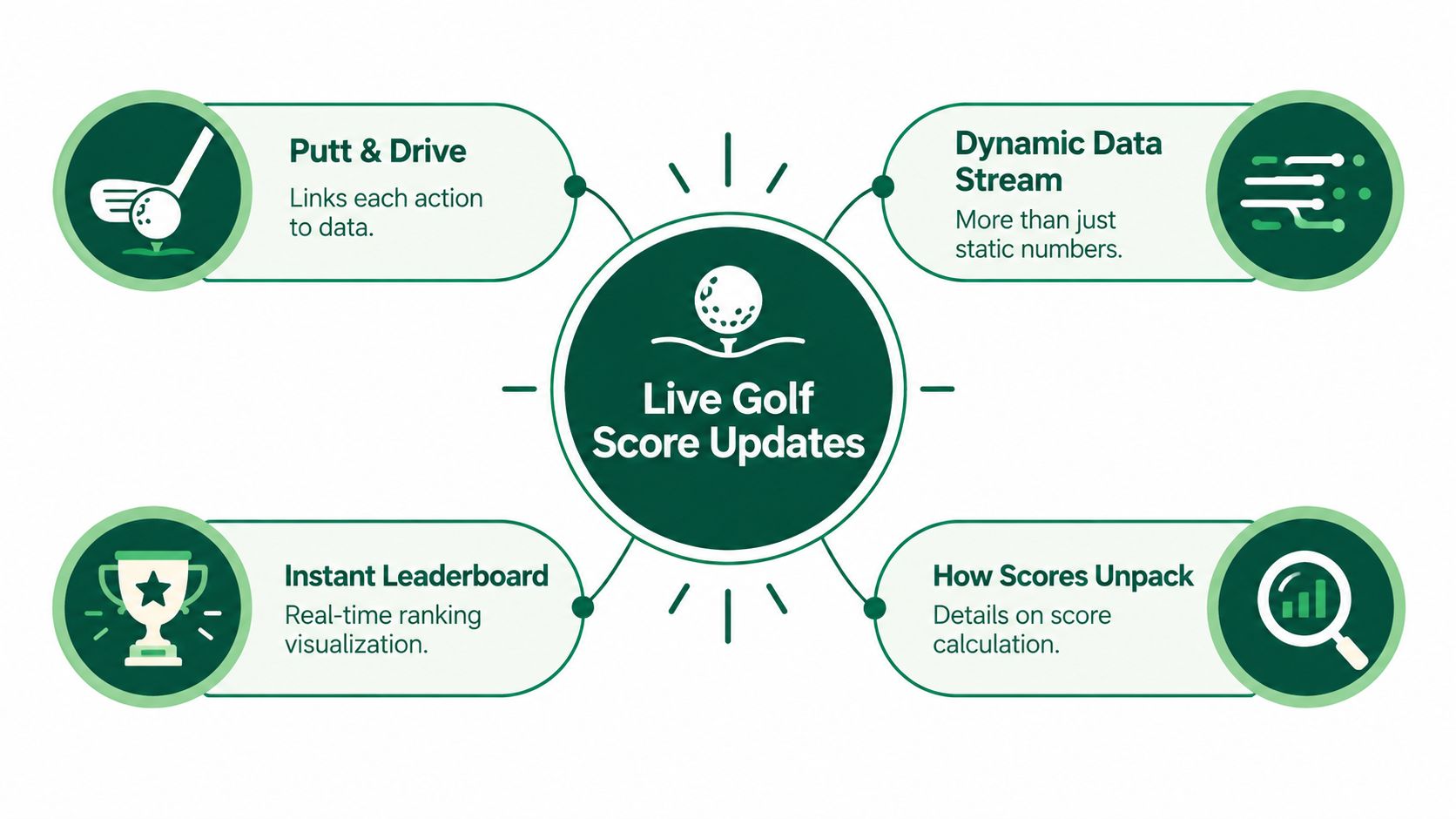
The workflow has four connected stages:
Capture the score. A player, scorer, or official records the result for a specific hole. The entry should identify the player, round, hole, and score, instead of adding an unexplained number to a running total. For group events, this can happen through a shared device, a scorer's station, or an app-free form.
Validate the entry. The system checks whether the result matches the event record. A confirmation screen can catch a mistyped hole, an incorrect player, or an implausible entry before it appears publicly.
Update the tournament state. The platform recalculates the round total, position, and format-specific result. Stroke play uses total strokes, while match play may show the current match status.
Push the change to viewers. Connected devices receive the update through an ongoing connection, so spectators and staff do not need to refresh the page repeatedly.
Polling works differently. It asks the server at intervals whether anything changed, like calling the scoring desk again and again. A push stream sends the change when it occurs, reducing delay and helping viewers receive updates in order. The technical explanation of push-based leaderboard delivery describes this approach.
Low-latency scoring also depends on practical setup. Course operators need reliable score capture, clear player identification, connection recovery, and a review path for corrections. A detailed guide to golf score tracking can help organizers map those steps before an event.
Practical rule: Decide whether your event needs immediate visibility, verified official results, or both. Those goals may require different confirmation and recovery steps.
Why Live Golf Score Updates Matter for Courses and Players
Live scoring gives players a reason to stay connected to the event after their own group has moved on. A golfer who can see a rival's progress has more context for the next hole, the clubhouse conversation, and the final result. That interaction can make a routine round feel like a shared competition rather than a collection of separate scorecards.
For course operators, the operational value is just as important. A visible leaderboard reduces the number of players asking staff for unofficial standings. Staff can spend less time reconciling scattered updates and more time handling registration, pace-of-play issues, sponsors, and the closing ceremony.
The player experience extends beyond stroke play
The format determines what players need to see. A stroke-play event may emphasize total score and position. Match play needs opponent status. A skins game needs hole winners and carryovers. Stableford requires points rather than a simple ranking by strokes.
Live scoring tools now support formats such as skins and Stableford, alongside other group-event structures. That matters because many organizers still describe live scoring as if it were only a spectator feature for professional tours. Product listings also show live scoring use across competitive events, leagues, charity outings, corporate days, and social rounds, as reflected in this overview of group golf scoring formats.
A leaderboard becomes more useful when it reflects the way the group is actually competing.
Simplifying the entry process can influence participation behavior. If golfers can open a link, enter a result, and see the effect without learning unfamiliar software, they're more likely to keep using the system throughout the round. That isn't a promise of a particular numerical lift. It's a practical design principle: fewer steps create fewer reasons to abandon scoring.
The course also gains a stronger event record. Hole-by-hole data can support result verification, post-event reporting, sponsor displays, and conversations about where players gained or lost ground. The value isn't limited to the moment a score appears. It continues through the administrative work that follows.
Implementation Options for Live Scoring Including App-Free Solutions
The right delivery method depends on who will enter and read the scores. A technology-confident league may welcome a dedicated app, while a mixed-age charity group may need a browser link that opens immediately. A course operator running a staff-only scoring desk may prefer one controlled workflow instead of asking every player to manage an account.
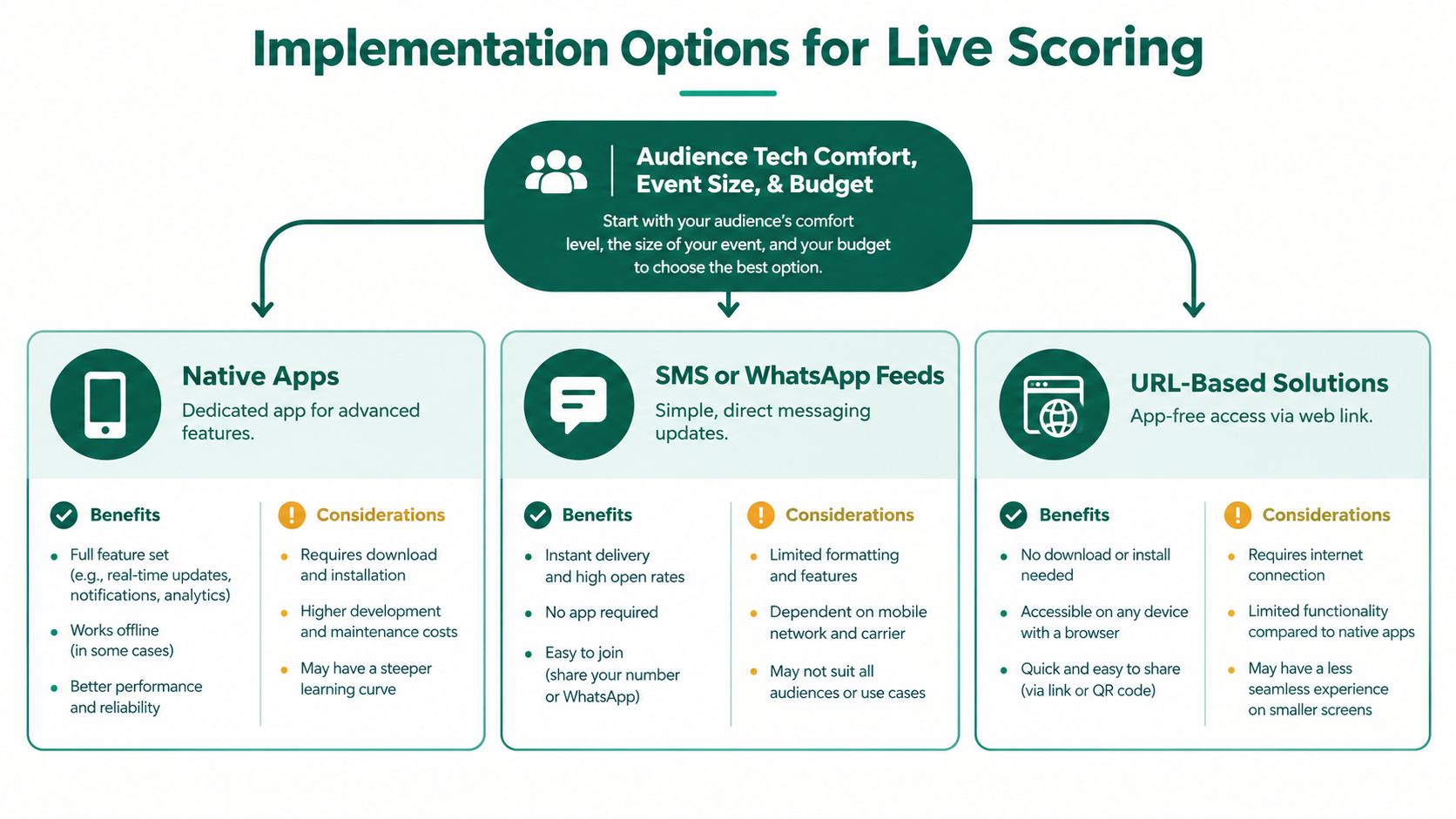
Native apps
A native app can provide notifications, saved player profiles, detailed statistics, and other event features. It fits recurring leagues where participants already use the same platform and expect a dedicated place for each competition.
The tradeoff is adoption friction. Players must find the app, install it, create or access an account, grant permissions, and learn the interface. Those steps may suit a regular league, but they can delay a one-day outing when groups are already preparing to tee off.
SMS or WhatsApp feeds
Messaging feeds use channels players already check. An organizer can share a tournament link, send group updates, or announce selected leaderboard changes. This works well for reminders and simple status messages.
A message thread is harder to use as the official scoring record. Results can become difficult to search, and the format does not naturally show a structured, hole-by-hole leaderboard. Staff may still need another system to collect entries, check them, and calculate standings.
URL-based scoring
A web link usually creates the smallest entry barrier. Players scan or tap it, enter scores in a mobile browser, and view the leaderboard without downloading an application. Browser-based scoring therefore suits corporate groups, charity events, junior programs, and club tournaments where participants may use different devices and have different technical habits.
The organizer still needs a plan for access, player identity, score confirmation, and lost connections. App-free scoring removes installation, not administration. For example, a course operator can place a link on a printed card, assign one scorer per group, and keep a temporary record if service drops.
The delivery method also affects update speed. Low-latency scoring generally relies on a persistent push stream instead of repeatedly asking the server for new data. That approach helps reduce delay and prevents the display from skipping changes while groups are playing. Ask providers how they recover missed updates, block duplicate entries, and label a provisional score before verification. Review documentation on live leaderboard architecture to understand the technical pieces involved.
For a browser-first workflow, compare the practical requirements in this guide to free golf tracking. The suitable option is the one players and staff can use consistently, not the one with the longest feature list.
Best Practices for Accurate and Engaging Live Scoring
Fast scoring only helps when players trust it. A wrong hole entry can create more frustration than a delayed result, especially when the leaderboard affects prizes or side games. Use a workflow that treats speed and verification as connected responsibilities.
Standardize the scorecard format. Use the same player names, hole sequence, tee information, and scoring fields everywhere. Consistency prevents staff from interpreting the same result in different ways.
Assign dedicated scorers. Decide who enters scores before the first group starts. In a player-entry model, designate a marker or group captain. In a staff model, assign an operator to monitor incoming cards and unresolved entries.
Add real-time validation. Confirm the player and hole before publishing a change. A short review window can catch a score entered for the wrong participant while the group still remembers what happened.
Use timestamps and recovery procedures. Record when an entry arrives and when it becomes visible. If a phone loses connection, allow the scorer to continue recording locally or on a temporary card, then reconcile the missed holes when service returns.
Design the display for attention. Show position, total, holes completed, and round status clearly. A public screen can emphasize the leaders, while a mobile view may need detailed hole-by-hole information.
Major leaderboard services present live scoring as continuously updated. Flashscore describes its PGA Tour livescore service as real time without requiring refreshes, while BBC Sport and ESPN leaderboard pages provide fields such as rank, total, holes completed, round scores, and tee indicators, as documented by live golf leaderboard coverage.
Format rules belong in the setup
Don't treat the leaderboard as a neutral calculator. Competition rules affect how the result should appear. The USGA explains that a Competition Committee may establish entry or eligibility requirements, and that handicap allowances vary by format, including stroke play, match play, and team formats. It also explains that the stroke index allocation determines where players receive strokes, as outlined in this Sky Sports golf leaderboard rules resource.
Before play, test a complete sample entry. Include a correction, a withdrawn player, an incomplete round, and the event's actual format. Staff should know who can edit a score, who approves a correction, and how the public display signals that a result remains provisional.
Accuracy beats theater: A leaderboard that updates quickly and explains corrections will earn more trust than one that simply changes first.
How Live Tourney Delivers Real-Time Leaderboards and Instant Scoring
Organizers generally need three things at once: a quick setup process, a scoring path that players understand, and a leaderboard that reflects the event's rules. Live Tourney is one web-based option built around browser access, real-time tournament scoring, and management tools for golf courses and event organizers.
A staff member can prepare an event, upload a roster, arrange pairings, select a scoring format, and publish a player-facing link. Players then enter scores from a mobile browser, while the leaderboard displays current results and hole-by-hole progress. That flow avoids asking every participant to install a separate application.

One workflow can support different event types
A course may run a single-round outing one day and a match-play or Ryder Cup-style competition later. The scoring logic, player display, and reports shouldn't force staff to rebuild the event from scratch each time. Live Tourney supports single- and multi-round events, match play, Ryder Cup, and round robin formats, along with tools for rosters, reports, dynamic emails, side games, and payout calculations.
Those features address the gap between professional-tour viewing and amateur event administration. A spectator wants to know who leads. An organizer also needs usable reports, a reliable roster, corrected scores, and a clear record of how the result was calculated.
Live scoring has become a standard expectation across major markets. ESPN's PGA TOUR leaderboard and official tour pages place live coverage alongside scores and video, reflecting the digital model players increasingly recognize, as shown in this golf tournament live scoring guide.
The product choice still depends on your event. A course should verify the entry workflow, test the public leaderboard, confirm how corrections are handled, and make sure staff can support players who need help. The important question isn't whether a platform contains every possible feature. It's whether the complete path from hole result to trusted leaderboard works for your field.
Conclusion and Next Steps for Live Scoring
Live golf score updates connect course operations with the player experience. They give golfers a shared view of the competition, reduce questions at the scoring desk, and make formats such as stroke play, match play, skins, and Stableford easier to follow.
Start with a small operational test. Create a sample event, enter scores from more than one device, correct a mistaken hole, simulate a dropped connection, and confirm that the public leaderboard presents the right status. Train staff on the same essentials: who enters scores, who validates them, who approves edits, and what happens when a player cannot connect.
Choose the delivery method around your audience. Native apps may suit established leagues, messaging feeds can support announcements, and app-free browser scoring can reduce friction for mixed groups. Whatever channel you select, ask how the system pushes updates, recovers missed entries, and preserves a trustworthy scoring record.
Your next tournament doesn't need more noise. It needs a clear path from each completed hole to a result everyone can understand.
Live Tourney offers web-based tournament management with app-free scoring, live leaderboards, roster tools, customizable reports, and support for multiple competition formats. Visit Live Tourney to test a simpler way to collect scores and keep players connected throughout your next event.





