
Oct 11, 2026
texas two step registration, golf tournament setup, tournament pairings, live scoring software, golf event payouts
Set up Texas Two Step Registration with confidence. Learn the format, fields, pairings, payouts, and how Live Tourney automates the whole process.
The registration desk is already backed up, two players are asking whether they can still join the same team, and your starter wants the tee sheet locked before the first carts leave. Meanwhile, the committee is debating gross versus net payouts, and nobody can remember whether the skins money was included. That's the moment when a Texas Two Step event either feels organized or starts consuming the entire staff.
A reliable Texas Two Step registration process solves more than player sign-ups. It forces clear decisions about team structure, handicaps, tee assignments, pairings, side games, payouts, and scoring before those decisions become problems on the course. The format is straightforward once the rules are defined, and the right tournament system lets you configure the event without making players learn complicated software.
What a Texas Two Step Format Actually Is
It's a Saturday morning at the pro shop. The queue is growing, pairings still need to be locked, and players are asking three different questions about how their scores will count. Before anyone touches a registration form, the staff needs one plain-English explanation of the format.
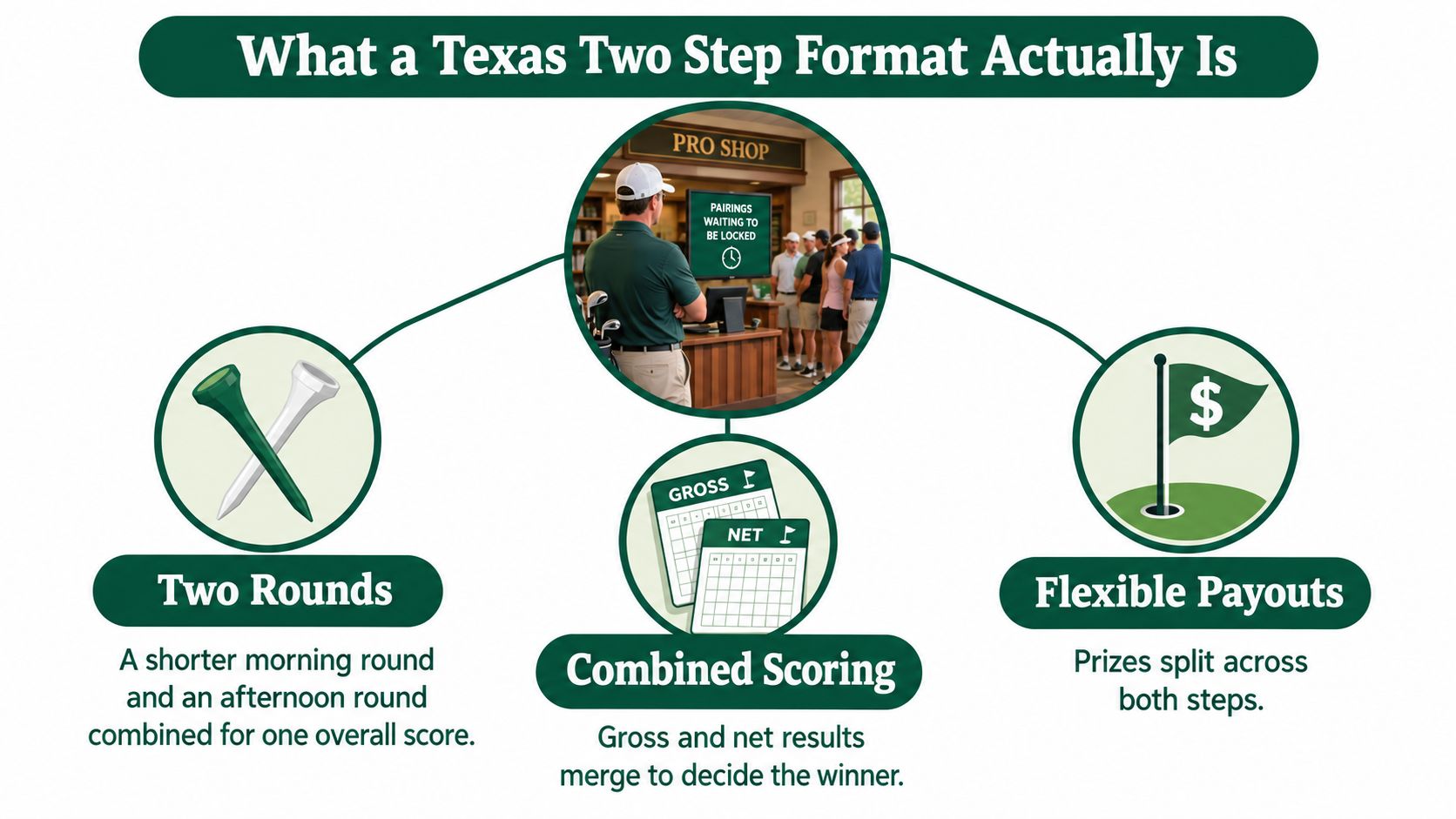
A Texas Two Step event uses two-person teams, with the team competing through a combined score while each player also contributes an individual score. In many events, the scoring setup includes both gross results, based on strokes taken, and net results, adjusted according to handicap. The exact scoring rules can vary by tournament, so registration must make those choices visible rather than leaving players to guess.
The name can also create confusion outside golf. The Texas two-step is a country-western partner dance with a layered history. Historical accounts connect it with the waltz, polka, and other European and American traditions, while the contemporary style developed through the collegiate foxtrot and related social dances. Texas dance halls helped associate the form with the state, and John Philip Sousa's 1889 “Washington Post March” helped popularize an earlier two-step nationally. The modern country-western dance is distinct from that older form, which matters when an event title or registration page needs to communicate clearly. East Texas Historical Association's account of the dance's development provides useful historical context.
Explain the score before collecting details
Tell players what the team score represents, whether both individual scores count on every hole, and how handicap adjustments affect the result. If the event includes a gross division, a net division, or separate team prizes, put those labels on the form and confirmation email.
The format travels well because it gives organizers several ways to create competition without requiring every player to have the same skill level. It can work for an outing, a weekly league, a member-guest day, or a charity event, provided the scoring method is settled before registration opens. Texas dance history also shows how regional traditions can evolve through multiple influences. The golf format benefits from the same flexibility, but flexibility only helps when the rules are written down.
Practical rule: If a player can't explain how their score reaches the leaderboard after reading the confirmation email, the registration page isn't finished.
The Registration Fields You Actually Need to Capture
A good form asks for information in the order staff need it. Start with identity, then move to eligibility, team logistics, player preferences, and operational details. Every field should answer a real question at the desk or prevent a manual correction later.
Start with the player and team
Player name: “Who should appear on the tee sheet and leaderboard?” Use the name the player wants displayed, not a nickname that staff may not recognize.
Email and mobile number: “Where should confirmations, reminders, and pairing changes go?” Email handles the formal record, while a mobile number helps with day-of communication.
Team preference: “Do you already have a partner?” Let players enter a named teammate, request a partner, or choose that the committee may assign one. Don't promise that every request will be honored until the field and handicap information are reviewed.
Handicap Index and GHIN number: “Which handicap should the event use?” Capture the current Handicap Index and, where appropriate, the GHIN number used for verification. If someone supplies a nine-hole index or an outdated figure, staff should flag it instead of silently converting it.
Division or scoring preference: “Are you entering gross, net, or both?” This answer affects eligibility, leaderboard presentation, and payouts. Make the distinction explicit.
For a detailed field-by-field reference, use this player registration form guide while building the form.
Capture the details that control the day
Preferred tee: “Which tee should I play?” Don't leave this blank. Tee preference affects pace, pairing compatibility, score calculations, and the player's experience.
Cart request and single-rider preference: “Do you need a cart arrangement or have a riding restriction?” Record requests as operational notes, not as guaranteed assignments.
Mobility needs: “Is there anything the course should prepare for?” A short, private field can help staff plan access and transportation without exposing sensitive details on public reports.
Shirt size and dinner selection: “What should the event team order for me?” These fields belong on the same registration record so the committee doesn't rebuild a separate spreadsheet.
Emergency contact: “Who should staff call if there's a problem?” Keep this information restricted to the staff who need it.
If tee colors are part of the player-facing instructions, a simple reference to green and white tees can help players understand the terminology without adding a long explanation to the form.
Pairings That Save You Time on Event Day
Pairings decide whether the event feels calm at the first tee or chaotic by the time the second wave checks in. The best method depends on the event's purpose, not on which option sounds most complex.
Choose the pairing philosophy first
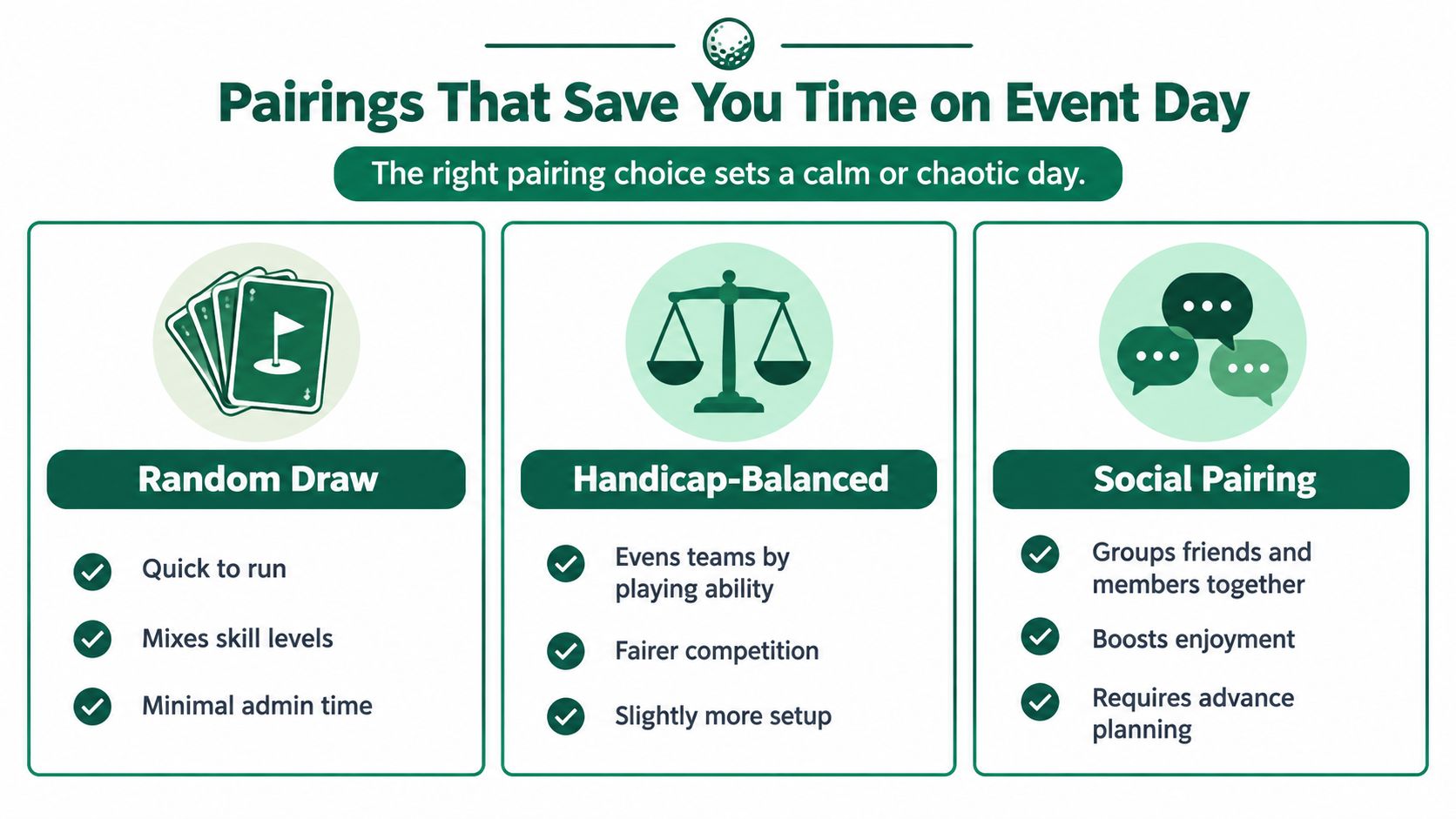
Random draw is the cleanest choice for a casual outing or open league. It's quick, mixes players naturally, and reduces committee debate. The trade-off is that it may create uneven teams or separate people who expected to play together.
Handicap-balanced pairing works when competitive fairness matters. The system can distribute stronger and weaker players across teams, but only if handicap data is complete and reliable. Missing indexes, inconsistent tee assignments, or late changes weaken the result.
Social pairing suits member-guest events, sponsor groups, and fundraisers where relationships matter as much as scores. It creates a better experience for people who registered together, but it requires advance planning and careful handling of requests.
For a small field, hand-placing every team may be manageable. For a larger field, automate the routine work and reserve manual placement for sponsors, accessibility needs, and confirmed partner requests. A 24-player league and a 144-player charity outing shouldn't receive the same pairing treatment.
Keep team structure separate from cart structure
A two-person team doesn't automatically determine how players should ride or start. Two-ball and four-ball arrangements can serve different tee-sheet needs, and cart requests may not match the competitive teams. Keep these records separate so a late cart change doesn't force you to rebuild the leaderboard.
Use a pairing system that allows you to lock confirmed teams while leaving open slots for late additions. If a player arrives after the sheet is published, place that player into an available group rather than shifting the entire field. Record single-rider preferences and cart notes before publishing the final report.
The golf pairing software guide is useful when you're comparing automated balancing with manual placement.
Choose one rule for the event. Random for casual play, balanced for competition, social for relationship-driven outings. Changing the philosophy halfway through creates more work than the original pairing decision.
Setting Up Payouts Without Re-Doing the Math at the Cart
Payouts belong in the planning meeting, not on a scorecard after the final group finishes. A committee can use any allocation it approves, but staff need the exact pot names, percentages, places, tie rules, and eligibility requirements before registration opens.
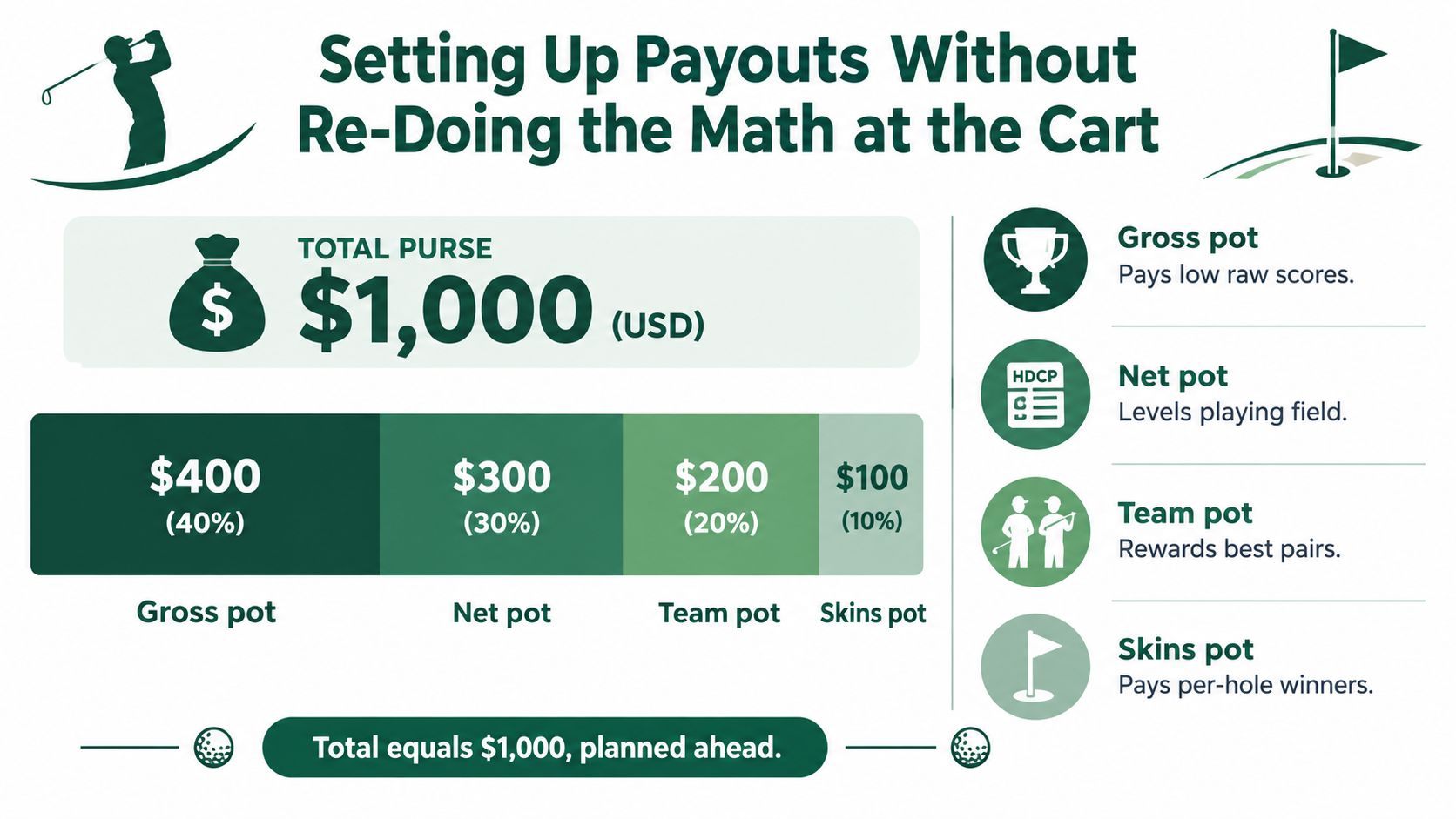
Take a $1,000 purse and divide it into four clearly labeled pots:
Pot | Share | Amount |
|---|---|---|
Gross | 40% | $400 |
Net | 30% | $300 |
Team | 20% | $200 |
Skins | 10% | $100 |
The arithmetic is simple, but the structure still needs decisions. The gross pot pays low raw scores, the net pot rewards handicap-adjusted results, the team pot recognizes the best pairs, and the skins pot pays hole winners according to the event's side-game rules.
Build the payout screen from the approved plan
Enter each pot separately. For gross, specify the number of paid places and the treatment of ties. Do the same for net and team. Skins need a clear rule for tied holes, carryovers, and whether a hole can remain unpaid when no player wins outright.
Set minimum field-size requirements for each pot before accepting money. A sponsor-funded gross division may operate with a smaller field than a player-funded skins game, but players should see those conditions before they register.
The common errors are predictable. Committees sometimes put too much money at the top, leaving little reason for the rest of the field to stay engaged, or they forget to reserve money for skins and side games until the end. Use a payouts calculator for golf tournaments to translate the approved allocation into places and amounts before the first tee time is published.
A practical committee rule is to define the total purse from the approved entry structure and sponsor commitments, then document which portion is guaranteed and which portion depends on participation. Don't let the staff infer that distinction at check-in.
Running the Day Smoothly with Live Tourney
By hole 10, the tournament usually reveals whether registration was built for operations or only for collecting names. One group is waiting on a score correction, another player can't find the leaderboard, and the committee wants a printable cart sign with the latest roster. Staff shouldn't need to rebuild the event while players are still on the course.
Live Tourney is designed around that operating reality. The platform supports tournament and league management, registration, real-time scoring, reports, side games, and payouts in one web-based workflow. Its scoring experience works through a phone link without requiring players to download an app.
Configure the event once
Start with the Texas Two Step scoring structure, then add the fields captured during registration. Player names, handicap information, tee preferences, partner requests, dinner selections, and mobility notes should feed the roster rather than live in disconnected files.
From there, the operational sequence is direct:
Upload the roster: Bring in existing player data instead of retyping every name.
Customize the page: Show the questions staff need for pairings, scoring, meals, and reports.
Automate messages: Send confirmation and reminder emails with event details and pairing updates.
Publish live scoring: Give every player a phone link for entering scores and following results.
Build reports: Create tee sheets, cart signs, bag tags, and other printable materials from the event data.
Configure side games and payouts: Keep the approved pots and game rules attached to the tournament.
Live Tourney reports that it has powered 10,000+ events and 1M+ holes scored, while customers report a 40% increase in live scoring participation and 3x faster tournament setup compared with their prior software. Live Tourney's platform overview provides the supporting details.
A Tuesday night league and a 144-player charity outing still require different staff decisions, but they can use the same operational pattern. When registration, scoring, reports, and communications draw from one roster, staff spend less time reconciling files and more time hosting the event.
Your One-Hour Texas Two Step Setup Checklist
Use this sequence on Monday morning when the event rules are known but the administration still needs to be assembled. The order matters because each decision feeds the next one.
First 10 minutes
Define the scoring rules in plain language. Confirm the two-person team structure, whether gross and net results are both active, how individual and team scores count, and which divisions receive awards.
Write the player-facing explanation before opening registration. If the rules take a paragraph to explain to staff, shorten them until a first-time player can follow them.
Next 20 minutes
Build the registration form:
Identity: Name, email, and mobile number.
Competition: Handicap Index, GHIN number, division, and team preference.
Course logistics: Preferred tee, cart request, single-rider preference, and mobility needs.
Event details: Shirt size, dinner selection, and emergency contact.
Add confirmation and reminder messages while the fields are fresh. Test the form as a player, not as an administrator.
Final 30 minutes
Choose the pairing method. Use random placement for a casual field, handicap balancing for a competitive event, or social grouping for a relationship-led outing. Lock confirmed partner requests and leave a controlled process for late additions.
Enter the payout pots, place percentages, tie rules, and minimum field requirements. Reconcile the total purse against the approved entry and sponsor plan. Then configure the tournament platform, upload the roster if needed, publish the scoring link, and generate the first tee-sheet draft.
Morning-of check
Print cart signs, bag tags, and tee sheets. Confirm tee times, review special assistance notes, and text or email pairings to players. Keep a final roster at the desk for corrections.
After play, close out scores, review ties and side games, send thank-you messages, and save the event as a reusable template. A repeatable template is the most valuable habit a tournament organizer can build. Next time, change only what the players or staff found confusing.
Live Tourney gives golf facilities and organizers a single place to manage Texas Two Step registration, pairings, live scoring, reports, side games, and payouts without app downloads for players. Set up your next event with the format and fields above, then visit Live Tourney to see how the workflow can move staff from chasing paperwork to hosting the day.





