
Aug 25, 2026
golf tee sheet software, tee sheet, golf scheduling, tournament management, course operations
Explore golf tee sheet software with a clear breakdown of features, pricing, integrations, and pitfalls. Built for head pros and tournament directors.

At 7:14 a.m., the pro shop is already behind. The phone has rung nine times, a league captain wants eight tee times held for next Tuesday, two walk-ons are waiting for a 7:40, and a charity outing organizer has emailed a revised field list for Saturday's 144-player scramble. Pencil marks cover the paper tee sheet. The POS terminal has a line. The beverage cart attendant needs a cart assignment before she can leave, while the head pro is trying to send a starting sheet to the rules official before the range opens.
That isn't a software demo. It's the operating environment your golf tee sheet software must handle. The right platform reduces repetitive work, keeps every department on the same schedule, and gives tournament staff a reliable source of truth when the day gets compressed. The wrong one adds another screen, another export, and another reason to call support during peak play.
The Monday Morning Chaos Every Head Pro Knows
A busy club's morning can unravel through small changes. A phone booking alters a member pairing, which changes cart assignments. A cancellation reopens a slot online while the starter still reads yesterday's printed sheet. Then an outing organizer sends a revised roster, and staff must decide whether to replace the existing field or rebuild it.
At a 36-hole facility, those adjustments consume labor quickly. Staff answer calls, enter reservations, check in players, collect payments, print reports, coordinate carts, and respond to league and reciprocal-club questions. Each manual handoff can leave the counter, starter's book, and event file showing different information.
Practical rule: Judge tee sheet software by the interruptions it removes from a busy morning, not by the feature count in a sales presentation.
Labor savings should drive the evaluation. Online booking, automatic booking rules, synchronized availability, and clear event details let staff focus on exceptions instead of routine re-entry. If staff still manually retype every change into three systems, the software has not solved the underlying problem.
Tournament readiness provides the clearest test. A charity outing may require a field list, pairings, hole assignments, cart signs, scorecards, payment tracking, and a late roster change. Software that handles ordinary member bookings but breaks under event pressure leaves the head pro doing clerical work as players arrive.
The right platform consolidates booking, cart assignment, and tournament setup into one live schedule. The wrong one fragments the morning across separate screens and exports.
The market is shifting from paper-driven operations toward software. MarketIntelo's tee time management software report valued the global tee time management software market at $0.6 billion in 2025 and projected it to reach $1.2 billion by 2034. It also reported an implied 8.5% CAGR from 2026 to 2034, with software representing 64.2% of the market in 2025, cloud deployment accounting for 72.5% of revenue, and golf courses making up 38.7% of the application segment. For a head pro, the operating takeaway is straightforward: compare systems by the labor they remove and the tournament work they can absorb.
What Golf Tee Sheet Software Does
Modern tee sheet software centralizes the master schedule online and connects booking, transactions, reporting, and staff handoffs into one live inventory. It records who is playing, when the group tees off, group size, and whether the time is available, booked, paid, or blocked, as described in Lightspeed's explanation of tee sheets.
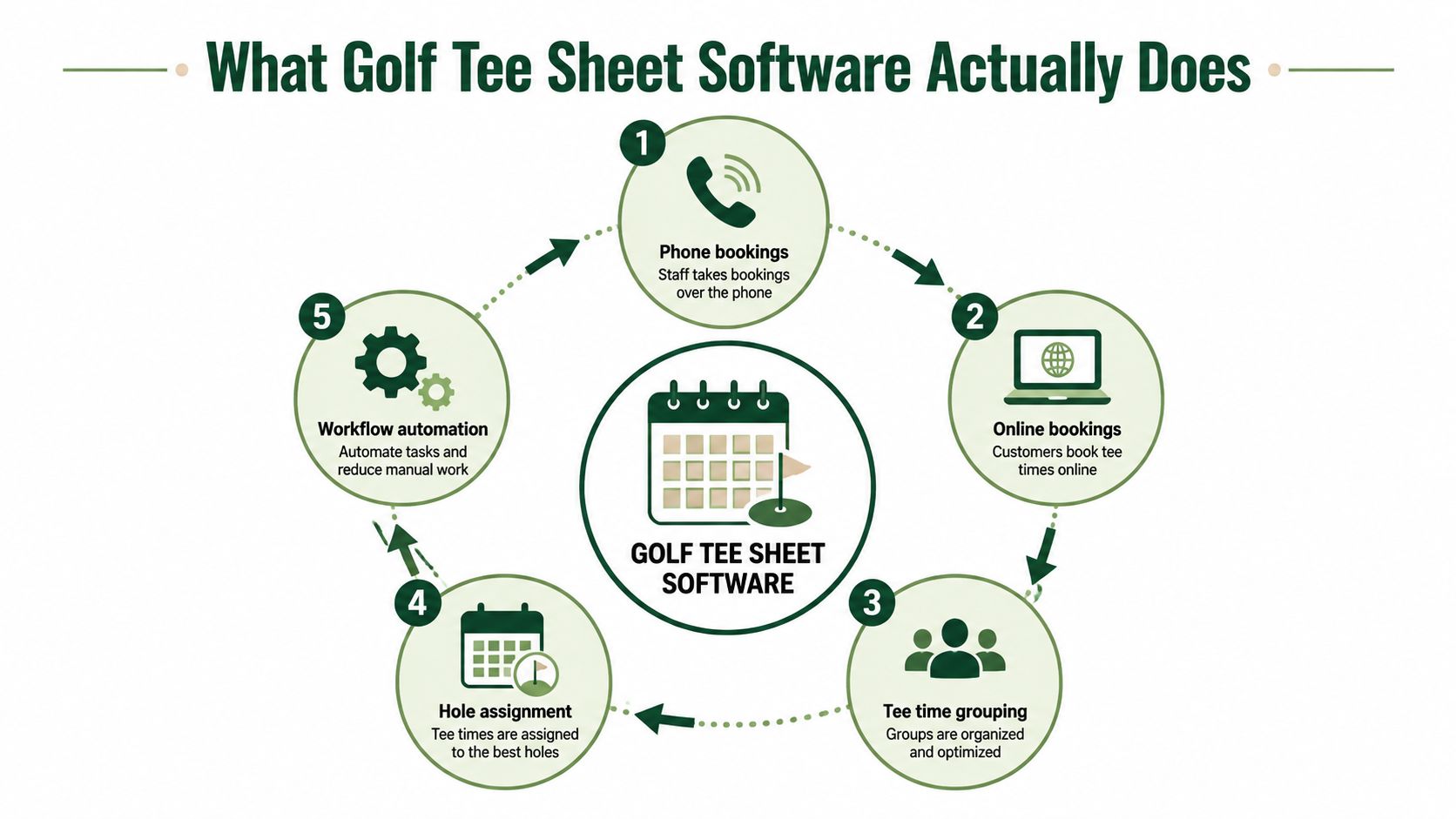
The operating test is simple: every phone reservation, online booking, walk-in, cancellation, league block, and tournament change should update the same live inventory. Staff should not reconcile a website, spreadsheet, printed sheet, and POS record after each adjustment.
The daily workflow becomes visible
A useful platform connects scheduling to the work around it:
Reservations: Staff can take phone and counter bookings while players use an online booking page.
Rules: The system can apply member access, booking windows, group-size limits, blocked times, and event restrictions.
Operations: Starters, cart attendants, marshals, and the pro shop can work from current tee time information.
Transactions: Deposits, payments, refunds, and booking status can connect with the POS.
Reporting: Managers can review cancellations, no-shows, revenue, utilization, and event activity without rebuilding a spreadsheet.
The labor benefit comes from synchronization. Cloud platforms can connect tee times, booking rules, POS activity, and reporting, reducing manual re-entry of reservations and payment events, as explained in Club Caddie's guide to tee sheet and course management software.
If the club also handles lodging reservations, the same principle applies. A resource on how to streamline hotel bookings shows why availability, customer information, and transactions must stay aligned across booking channels.
A modern tee sheet can serve as a transaction hub. API or SDK connections can synchronize website embeds, Google booking surfaces, external distributors, and POS systems, so a booking entered in one channel updates inventory and customer records, according to TeeWire's developer API resource. That reduces duplicate entry and prevents staff from promising a time that has already been taken.
Before buying, map the full reservation and event workflow. This guide to tee sheet management provides a useful reference for connecting bookings, tournaments, and staff responsibilities.
Core Features That Matter in a Real Pro Shop
Feature lists are easy to inflate. A head pro should sort capabilities into working buckets and ask one question for each: does this remove labor, prevent an operational mistake, or improve tournament control?
Feature Bucket | Head Pro Impact | Verdict |
|---|---|---|
Scheduling and pairings | Controls daily inventory, group sizes, blocks, leagues, shotguns, and split starts | Non-negotiable |
Live scoring | Keeps tournament results current and gives players a usable event experience | Essential for organized play |
Payments and POS | Connects green fees, carts, deposits, refunds, and reconciliation | High impact |
Integrations | Prevents duplicate entry across handicap, marketing, booking, and accounting tools | Buy only after testing |
Reporting and pace dashboards | Helps staff diagnose no-shows, delays, demand, and weekend readiness | Operationally valuable |
Scheduling deserves the hardest test
The scheduling layer should handle visual changes without forcing staff to erase and re-enter groups. Look for drag-and-drop editing, configurable group sizes, member priority windows, league blocks, and support for shotgun or split-tee formats. A tournament director should be able to move a foursome, change a hole assignment, or add a late player without damaging the rest of the field.
A platform that only handles ordinary single-tee bookings is not ready for a busy club. Tournament formats are not edge cases. They're where the system proves whether its underlying schedule is flexible or merely attractive.
Scoring matters when players are watching
Live scoring should be simple for players and useful for staff. Leaderboards, skins, Stableford calculations, side games, and mobile access can reduce questions at the scoring table and keep participants engaged. App-free browser access is especially practical for charity outings because players can follow a link instead of learning a new installation process.
Live Tourney is one example of a web-based tournament platform that supports rosters, pairings, live leaderboards, event formats, payments, and printable reports such as tee sheets, scorecards, cart signs, and bag tags. Treat it as a tournament-management option to evaluate alongside the tee sheet connected to your daily course operations.
Payments and integrations expose the real cost
Green fees and cart charges touch every operating day. Confirm that the system supports the payment workflow your staff uses, including deposits, stored payment details where appropriate, refunds, and reconciliation with the club's POS or accounting tools.
Integrations with GHIN handicapping, email marketing, weather feeds, and external booking channels can be valuable, but only if they work without manual cleanup. Ask the vendor to demonstrate a booking from each channel, then show exactly where the reservation, payment, player record, and availability update.
Reporting is the feature head pros tend to value after the launch. A clean pace-of-play dashboard, no-show report, and revenue view can turn Monday review into a short operating meeting rather than a spreadsheet project.
Modern Cloud Platforms vs Legacy Installed Systems
Choosing between a cloud platform and a legacy installed system means choosing how your staff spends working time.
A modern cloud platform runs in a browser, receives vendor updates, and gives approved devices access to the current tee sheet. That matters during tournaments. A head pro can build pairings, check a roster, or review event details without returning to one back-office workstation. Browser access also supports app-free player participation, which reduces installation questions for members and guests.
Legacy installed systems still earn consideration. They may hold detailed member accounting, established multi-course reporting, and procedures staff can execute from memory. They can also keep local operations running during an internet outage, if the installation supports the work your team needs to complete offline.
Criteria | Modern Cloud Platforms | Legacy Installed Systems |
|---|---|---|
Setup speed | Usually quicker to configure and access | Often depends on local installation and vendor involvement |
Updates | Delivered by the provider | May require scheduled maintenance or manual upgrades |
Player experience | Browser booking and mobile event access | Often tied to older interfaces or separate modules |
Tournament workflow | Can combine registrations, pairings, scoring, and reports | May require exports between systems |
Access | Available from supported devices with internet | Commonly tied to specific workstations or local servers |
Offline resilience | Must be verified during the demo | Can have an advantage when local operations continue without internet |
Ownership model | Subscription and vendor-hosted infrastructure | License, maintenance, hardware, and support obligations |
A cleaner interface is not enough reason to migrate. Move when the complete operating workflow costs less staff time and produces fewer errors. Count hours spent exporting fields, reprinting revised reports, backing up data, waiting for workstation access, and correcting mismatched records. Those tasks belong in the legacy system's cost, even when no invoice lists them.
Tournament readiness deserves its own test. Ask whether staff can revise pairings, update a field, and produce accurate documents while the tee sheet continues serving daily play. A platform that requires repeated exports may create extra labor precisely when an event is busiest.
Adoption is uneven across the market. The National Golf Course Owners Association reported that 4,203 U.S. public golf facilities, or 38.5% of the surveyed market, lacked online tee time booking capability. Among facilities with online booking, GolfNow had 2,727 installations and 25.0% market share, while five vendors together controlled 61.5% of courses with online booking (NGCOA market-share data). Those figures show why head pros should compare their own labor demands and tournament requirements instead of assuming a familiar system matches current operating needs.
How to Evaluate Golf Tee Sheet Software Before You Buy
Start with your hardest workflow, not the vendor's standard demo. If your pain point is a 144-player member-guest, a two-course event, a shotgun start, or a league with frequent late changes, make that scenario the test.

Use a controlled demo
Ask the vendor to work through your actual operating sequence:
Define the workflow: Write down the booking, pairing, payment, and reporting steps that cause the most staff work.
Bring real complexity: Use an event format with late entries, team changes, cart assignments, and a revised field list.
Test split operations: Ask staff to update the sheet while another employee checks players in or a tournament director edits pairings.
Verify booking rules: Confirm member windows, public availability, blocks, cancellations, and manual overrides.
Inspect notifications: See how the system communicates changes to staff, players, starters, and event administrators.
Test the front desk: Give the interface to an employee who wasn't in the sales presentation.
Export the records: Review the actual report output, including tee sheets, rosters, payments, and data exports.
Request a sandbox using your own data if possible. Ask what happens during an internet outage, how quickly support responds during peak play, and whether the vendor can restore or reverse a mistaken bulk change.
For a wider comparison of club-management tools, use this review of golf course management software as a starting point, then validate every important workflow directly with each vendor.
Read the contract like an operator
Check auto-renewal language, cancellation windows, data-export rights, transaction surcharges, setup fees, support tiers, and charges for additional locations or modules. Ask whether your historical booking, player, event, and payment data remains exportable if you leave.
References matter more than polished case studies. Speak with one facility that migrated away from a legacy system and another that has renewed with the vendor repeatedly. Ask how many staff hours the platform saves, what broke during implementation, and which promised integration still needs manual work.
Pricing, Dynamic Rates, and the Hidden Cost of Free Tiers
The pricing details often matter less than the billing model. A low monthly fee can become expensive when tournament tools, booking widgets, SMS messages, payment processing, support, reporting, and data exports sit behind separate charges.
Don't use invented benchmarks from a sales deck to build your budget. Request a complete operating quote that includes the workflows you'll use on a Saturday, during a tournament, and at month-end reconciliation. The quote should identify subscription charges, implementation, payment fees, messaging, extra users, additional courses, and premium support.

Dynamic pricing needs governance
Dynamic pricing can help a public course respond to demand, booking patterns, and lead time. Industry reporting describes AI-powered pricing being built into tee sheets, with vendor partnerships using real-time demand signals to automate rate changes. Broader market research cited in that coverage says cloud deployment reached 62.4% of global golf software revenue in 2025, while tee time management was the largest application segment at about $522 million (Golf Wire coverage of tee sheet and operations software).
The technology isn't the hard part. Player trust is. If rates change without a clear explanation, members may feel penalized for booking at the wrong time. If the algorithm fills every attractive window without accounting for pace, starters may inherit a schedule that looks profitable but plays poorly.
Pilot rate rules on selected periods. Give staff a manual override, publish a clear explanation of the pricing logic, and review pace, cancellations, complaints, and realized revenue before expanding the rules. Automation should support judgment, not remove it.
Implementation and Migration Without Disrupting Play
A migration fails when the vendor treats it as a software installation instead of an operating change. Your staff needs clean data, practical training, clear ownership, and a fallback plan for the first busy Saturday.
Prepare the records first
Export the current member database and verify GHIN numbers before importing anything. Reconcile outstanding booking balances, confirm taxes and payment settings, review blocked times, and identify recurring leagues or tournaments that need special treatment.
Build a migration register with an owner for each data set:
Member records: Confirm names, contact details, membership categories, and handicap identifiers.
Reservations: Review future bookings, deposits, cancellations, and outstanding balances.
Rules: Document booking windows, public inventory, member priority, league blocks, and course closures.
Reports: Save examples of the tee sheets, rosters, cart signs, scorecards, and financial reports staff rely on.
Choose a low-traffic midweek window during the shoulder season if your calendar allows it. Run the old and new systems in parallel long enough for staff to compare real bookings, payment status, player records, and event reports. A parallel period is valuable only if someone reviews discrepancies every day.
Train by job, not by software menu
The pro shop team needs booking, payment, cancellation, and correction workflows. Starters and marshals need a fast way to view current groups, holes, carts, and changes. Tournament staff need roster imports, pairings, scoring, reports, and communications. Give each group hands-on practice with the work they perform, not a tour of every administrative setting.
For fundraising events, a practical golf fundraiser guide can help event organizers think through registration and participant logistics alongside the tee sheet.
Protect the first month
Tell members about the new booking URL, login process, support contact, and fallback phone number. During the first month, assign named owners to double-bookings, payment mismatches, pace anomalies, and player-access issues. Review those exceptions daily until the team can identify patterns.
Use this mobile golf scoring app resource when comparing event-scoring workflows, especially if your tournament staff wants browser-based access without requiring players to install software.
Common Pitfalls and FAQs for Busy Operators
The most common buying mistake is feature bloat. A flashy tournament module won't compensate for slow daily booking, weak payment reconciliation, or a front-desk interface employees avoid. Test the ordinary Tuesday workflow before you admire the championship leaderboard.
Training also takes longer than most buyers expect. Staff must learn the new rules, members may need help with account access, and tournament directors need practice handling changes under pressure. Plan training around roles and real events, not a single presentation.
Mobile access deserves direct scrutiny. Players and staff expect to view and update reservations from a phone, but a responsive screen isn't enough. Test booking, cancellation, payment, roster changes, and event scoring on the devices your golfers use.
Questions operators should ask
How long does migration take? It depends on data quality, integrations, event complexity, and the number of workflows being replaced. Ask for a written migration plan with responsibilities, test dates, and rollback procedures.
Can members keep their old login? Sometimes, but don't assume it. Confirm whether passwords, profiles, preferences, booking history, and consent records transfer.
What happens to league standings and handicap history? Require a specific answer about export and import formats. Historical data that can't be moved or downloaded creates unnecessary vendor dependence.
How are rainouts and frost delays handled? Look for bulk notifications, cancellation rules, rain checks, refund workflows, and a visible course-closure status. Staff should be able to act quickly without editing every reservation manually.
Can dynamic pricing be overridden? It should be. Require a permission-controlled manual override and an audit trail showing who changed the rate and why.
The best golf tee sheet software is the one your staff can use during peak play without picking up the phone to ask support how to fix a routine change.
Live Tourney gives courses and event organizers browser-based tournament management with rosters, pairings, live scoring, payments, leaderboards, and printable tee sheet reports, without requiring players to download an app. If tournament readiness and staff workload are driving your software decision, visit Live Tourney to review the platform and start evaluating it against your hardest event workflow.





