
Aug 4, 2026
apple watch golf, golf gps watch, golf shot tracking, golf tournament scoring, live tourney
Master Apple Watch golf with this in-depth guide covering GPS setup, shot tracking, swing metrics, battery tips, and how watches fit into tournament workflows.

You've got a player standing on the first tee, checking a number on their wrist, while someone in the group is still digging a phone out of a pocket. That's the Apple Watch golf moment, not the glossy ad version. The watch has become useful because it's fast, glanceable, and paired with golf apps that now do more than count steps. It gives golfers yardages, shot tracking, and swing data without turning every decision into a phone chore, and that matters just as much for the head pro running the event as it does for the player trying to make par.
The broader reason people keep reaching for a watch even when they already have a phone is simple, they want the information closer to the shot. If you want a good framing of that behavior outside golf, the piece on wearing watches despite having phones makes the point well. On the course, that habit becomes more than style. It becomes pace, convenience, and cleaner decision-making.
Why Apple Watch Has Become a Real Golf Tool
A Saturday morning tee sheet shows it quickly. One player straps on an Apple Watch, opens a golf app, and checks the front number before the bag hits the turf. Another player is still digging out a phone and zooming in on the map, and that is where time starts slipping away.
Apple Watch golf has moved past a simple notifications story. Apple's own golf examples show the watch handling yardages, scoring, Auto Shot Tracking, swing analysis, and Auto Strokes Gained across a wide course base, while TheGrint can track scores, stats, and shot distances on iPhone and Apple Watch (Apple newsroom). That kind of coverage matters because a watch only earns its keep when it works at the courses people play.
Why operators should care
Course staff often treat wearables as a player preference. That is too narrow. When golfers start using the watch for yardages and scoring, they interrupt the round less often to check a phone, and the pace feels more settled without getting stiff.
The watch also behaves like a round-time fitness tracker. Apple says the Workout app can collect round activity, including active calories (Apple newsroom). That detail matters for players who want more than a score and for organizers who want a cleaner picture of how the round was played.
A useful rule still holds. If a tool gets a player the next number in one glance, it usually earns its place on the course.
That is also why the watch belongs in the same conversation as golf GPS units, scorecards, and the organizer's side of the operation. It is no longer just a gadget on the wrist. It can fit into the same workflow as app-free live scoring platforms like Live Tourney, where the watch is one more way to keep scoring moving without dragging the group into constant phone use.
What Apple Watch Does on the Course
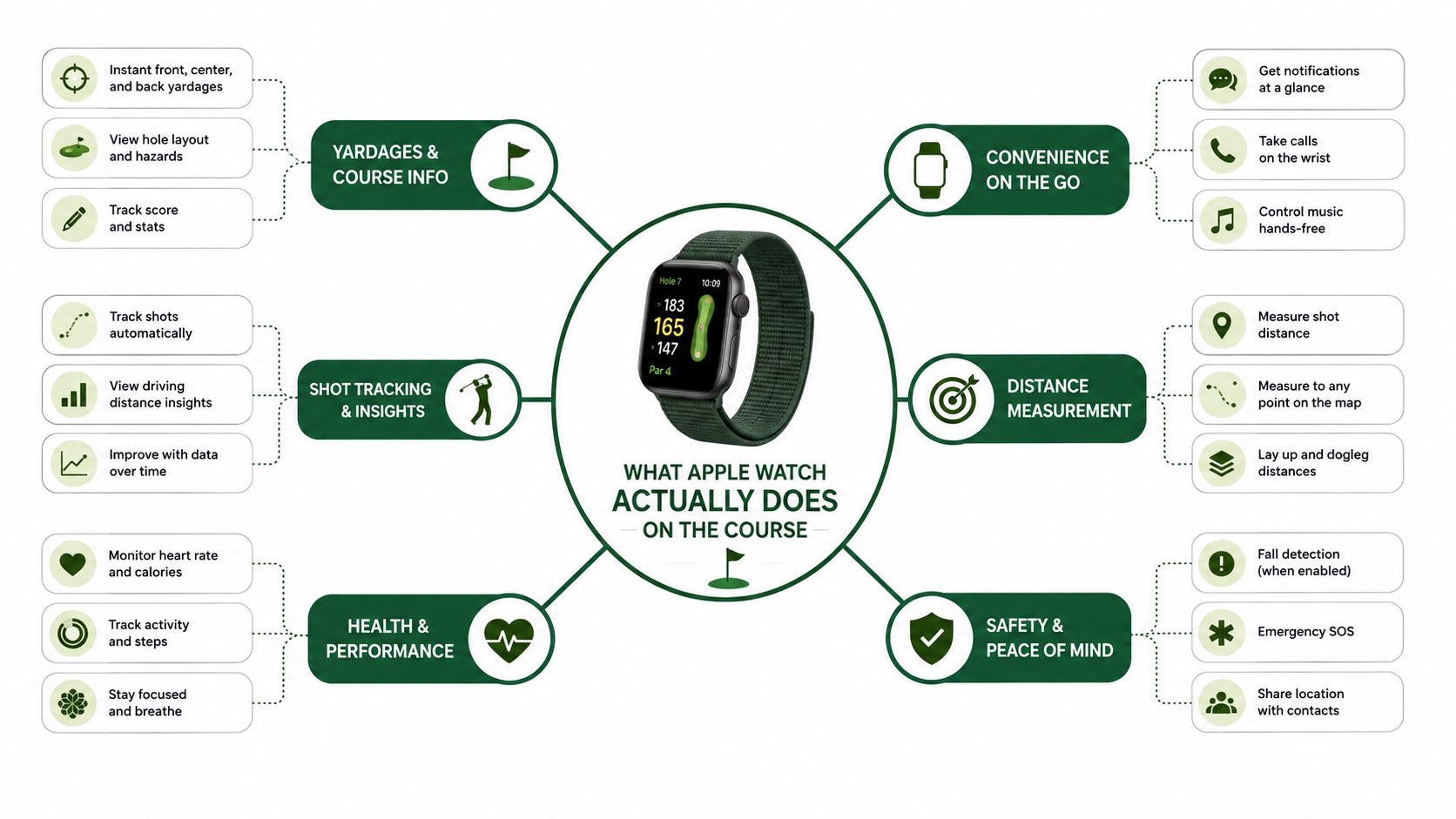
A well-set-up watch handles three jobs on the course. It shows yardages, keeps score moving, and records swing data when the app is built to do that work. For a lot of golfers, the value shows up before the front nine is done.
Yardages first, because that's what most golfers need most
Start with the basics. On the course, the watch should give front, middle, and back numbers fast enough that you stay with the group and do not slow the rhythm of the round. Apple's golf examples show Golfshot handling GPS distances and TheGrint handling shot distances alongside scoring, which is enough to show the core use case without making the watch do more than it should (Apple newsroom).
That simple yardage read is what players reach for first. If the app can work with offline course maps, the watch becomes more dependable under trees, on cart paths, and on holes where the phone is still in the bag. I would rather see a golfer glance once, trust the number, and hit the shot than watch them pace around a green with a phone in hand.
Shot tracking and swing analysis are the upgrade
The stronger use case comes after the yardage. A watch that can tag shots or capture swing motion starts to behave like part of the training setup, not just a scoring aid. The difference matters because shot tracking changes what a player reviews after the round, and swing data changes what they work on at the range.
Golfshot describes Swing ID On-Range as recording the moment the club meets the ball, and its Apple Watch tools use motion data to analyze tempo, rhythm, transition, and wrist path. Golfpass says that feature was tied to Apple Watch Series 9 and Ultra models after Apple introduced the motion API in watchOS 10. That is the point where the watch stops acting like a scorecard and starts helping with practice habits.
For golfers who want swing-specific feedback, the hardware side still matters. Golfshot says the High Frequency Motion API in watchOS 10 lets the app capture thousands of motion data points per swing, including wrist and hand rotation, club-face motion, body rotation, hand speed, rhythm, and ball-strike timing (Golfshot Ultra 2 article). That is a real step forward, but it still depends on the app's model and on the watch reading movement cleanly during a normal round.
What first-time users should check
GPS access: make sure the app can use precise location, or the distance numbers get sloppy.
Motion permissions: swing analysis will not work well if the app cannot read the watch's movement sensors.
Watch model support: newer swing features lean on Series 9, Ultra, and Ultra 2 capabilities tied to watchOS 10 motion APIs.
Workout tracking: if you want the round counted as activity, let the Workout app do its job in the background.
That setup is also where the watch starts to matter beyond the individual golfer. A player who checks yardages on wrist and keeps score without opening a phone stays easier to manage in a group, and that same behavior fits cleanly with app-free live scoring platforms that rely on fast, low-friction updates during events. If the watch can do those four things, it is a course tool.
Choosing the Right Golf App for Your Watch
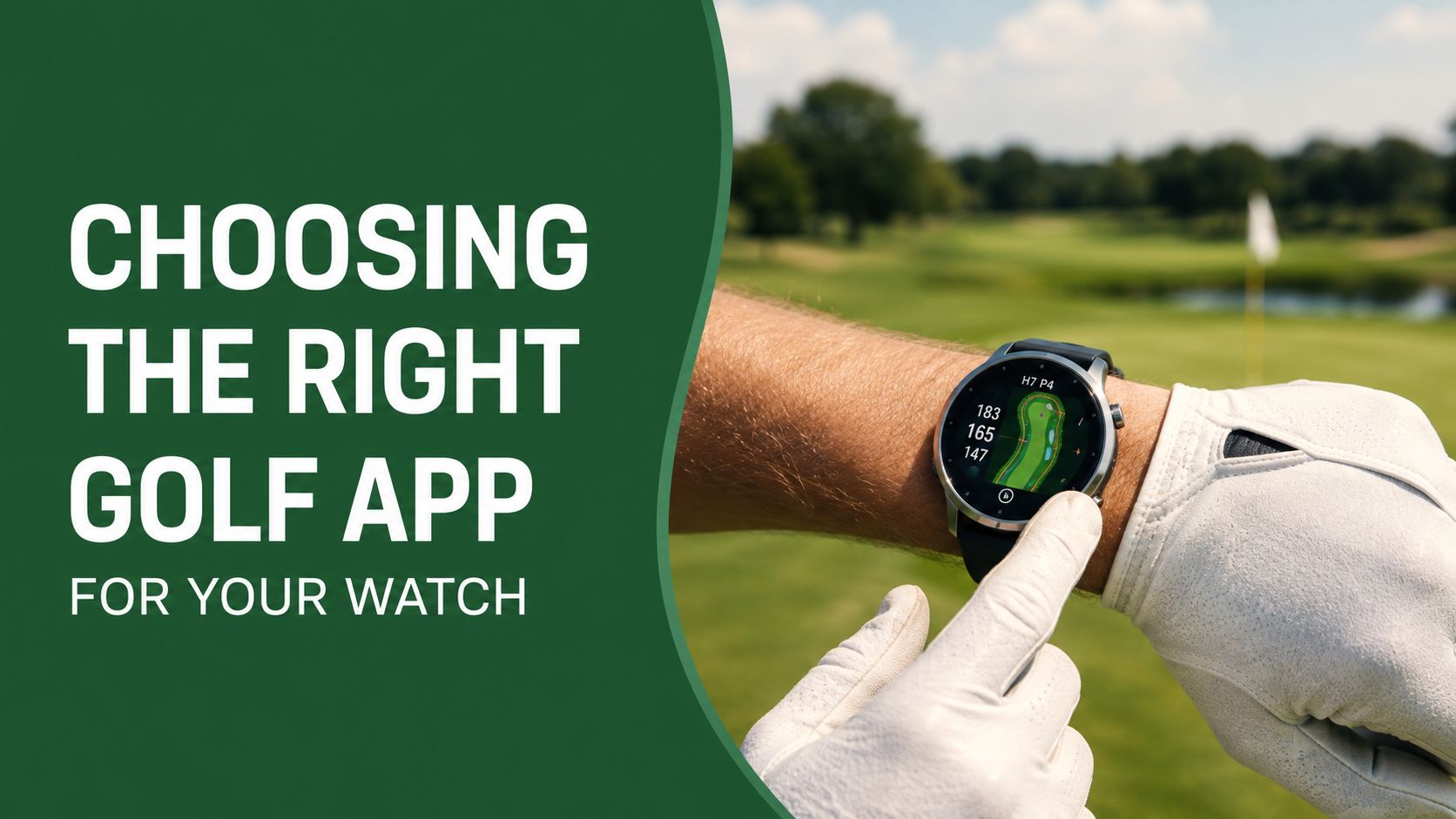
A golfer who loads every app they have heard about usually ends up with a crowded watch and slower decisions on the tee. Start with the job. If the goal is fast yardages, choose one app that does that well. If scoring matters more, pick the app that keeps the scorecard simple. If you want swing data, make sure the watch is reading real motion sensors instead of just echoing phone data.
What to compare before you commit
Golfshot works well for a player who wants GPS, scoring, Auto Shot Tracking, and swing analysis in one place. Its course coverage is broad enough for travel and routine play, which helps if you move between home tracks and unfamiliar layouts (Apple newsroom). TheGrint is the better fit for golfers who care most about scores, stats, and shot distances.
The next question is whether the watch can stand on its own. Some apps and listings support 40,000+ courses and standalone rounds without an iPhone in certain situations, which helps on practice rounds or for golfers who do not want a phone in the pocket the whole round. In actual play, the phone still matters for downloading courses, syncing rounds, and fixing permissions before tee off.
For tournament work, the cleaner test is simple. If a player has to tap through three screens every time they enter a score, that app is a poor fit for event day. If you want a clearer breakdown of distance-focused tools versus fuller all-in-one options, this golf yardage app guide is a useful reference.
Rule of thumb: if the app feels clumsy on the range, it will feel worse on the eighth tee with a group waiting behind you.
Best fit by player type
Distance-first golfers: choose the app that gives fast yardages and simple maps.
Data-first golfers: choose the app that tracks shots, trends, and swing detail.
Tournament players: choose the app that keeps scoring easy and does not slow the group down.
For event scoring, the watch app should stay focused on golf numbers. Live scoring systems can handle the leaderboard work without asking every player to become a phone operator at the same time.
Setting Up Your Apple Watch for the First Round
The first round with an Apple Watch can go smoothly, or it can turn into a wait at the tee while a golfer is still digging through settings. The difference is usually setup. Do the prep at home, and the watch starts acting like a golf tool instead of a distraction.
Do the boring setup before you play
Pair the watch with the iPhone first, then install the golf app you plan to use. Download the course map while you still have strong Wi-Fi, because nobody wants to find a missing layout at the turn. If the app offers unit choices, confirm yards versus meters before the round starts, not after you have already pulled a club.
Next, open Location, Motion, and Fitness permissions. If precise location is off, the watch may still function, but the yardages will not feel trustworthy. If the motion settings are off, any swing tracking feature that depends on watch sensors can fall flat.
Set the watch face for the round
A good golf watch face is plain and functional. Put the app complication where you can reach it quickly, keep the display uncluttered, and make sure the shortcut to your scorecard or GPS page is one tap away. A watch face crowded with weather, calendar, and photo widgets looks clever at home and useless on the tee.
Keep the watch face boring. Golf rewards fast reading, not clever design.
The workout app should not fight the golf app for attention. If you want the round logged as activity, confirm that the workout flow will not interrupt score entry or shot tracking. That small detail saves headaches later, especially if you care about clean post-round records.
For scorekeeping habits and round flow, this golf score tracking guide is a useful companion to the setup process. It explains why a clean scoring routine matters before a player ever pulls the watch out on the course.
Quick checks before the first tee
Battery at 100%: start full if you want the watch to make it through the round without stress.
Course downloaded: do not rely on a fresh data pull in the middle of the front nine.
Complications ready: score, GPS, and app launcher should be easy to reach.
Notifications trimmed: keep the watch focused on golf, not group texts.
A proper setup takes a few minutes. A bad one costs strokes and patience.
A Round With Three Different Watch Users
The first tee tells you almost everything you need to know about a golfer's relationship with the watch. One player wants a yardage and moves on. Another wants a data trail after every swing. A third is mostly thinking about score posting and whether the group can keep pace.
The casual weekend golfer
This player checks the front number on the watch, picks a club, and doesn't look back. On the par-3 7th, the watch does one job well, it confirms the distance quickly enough that the golfer can stay in rhythm with the group. By the final green, the score entry is fast enough that there's no delay while the cart rolls to the next tee.
That golfer doesn't learn much from paper scoring alone. The watch shows how often they reached for yardages and whether they're keeping a cleaner tempo because they're not handling the phone as much.
The data-hungry grinder
The second player cares about the shot after the shot. If the app is built for swing analysis, the watch records motion and turns it into something the golfer can study later. On the par-3 7th, that same player compares the strike pattern to a practice note from the range. On the final green, the score only matters if it matches the story the stats told all day.
This is the player who benefits most from the newer sensor-based features. The value is not just in knowing where the ball went. It's in seeing whether tempo, rhythm, or transition drifted under pressure.
The member in a club tournament
This golfer cares about the score first and the tournament second. The watch gives a quick personal reference, but the need is clean posting and no confusion with the official side game or leaderboard. The best use is quiet and disciplined, not flashy.
The watch works best in tournament golf when it stays invisible to everyone except the golfer wearing it.
What each player learns is different. The casual golfer learns pace and convenience. The grinder learns patterns. The tournament player learns whether the watch supports the round without becoming a distraction. Paper won't give you that separation.
Battery, Etiquette, and Connectivity on the Course
Battery life is the hidden test. A golf round can run long, and constant GPS use plus motion tracking will drain any watch faster than normal day-to-day wear. Apple's Ultra 2 is built with better endurance for golf use than older watches, and Golfshot's coverage of the Ultra 2 notes up to 12 hours when using a golf app (Golfshot best apps article). That does not mean every golfer gets the same result, but it shows why hardware matters when the round stretches into the afternoon.
What helps during a round
Start at full charge if you can. Use theater mode or a similar dimming setting between shots so the screen is not draining energy all day. If the course has tree-lined corridors or spotty signal, expect phone-based sync to lag until the connection returns. The watch can still help with quick local checks, but the full app experience often depends on the phone catching up later.
Etiquette matters just as much. A quick wrist glance is normal. A golfer who keeps stopping to scroll, resize maps, and compare screens is not helping the group. The watch should shorten attention, not pull it away from the round. I tell players to treat the watch like a yardage book, not a second phone.
Playing partners usually do not mind, as long as it does not slow the group or turn into a long technical routine. A simple heads-up helps if you plan to use the watch on every hole.
If your players care about headwear that stays out of the way the same way a watch should, the compare embroidered poplin caps resource is a practical example of how small gear choices can stay quiet and functional on the course.
Watch habits that hold up in real play
Check yardages quickly: do not linger on the screen.
Keep the phone in the bag: unless you need it for sync or troubleshooting.
Use the watch as support, not a crutch: the shot still has to be committed to.
Expect signal drops: tree cover and remote areas can interrupt live data.
Review later: let post-round analysis happen after the scorecard is signed.
For golfers who want a closer look at how the wrist and the phone divide responsibilities, the earlier guide on golf score tracking is useful context. It draws a clean line between collecting a number and running the round cleanly.
How Apple Watch Players Fit Into Tournament Workflows
A tournament day gets messy when every player wants to use a different tool and the back office still needs one clean result. That's where Apple Watch golf stops being a personal accessory and starts becoming a workflow question. Some players want to score from the wrist, some want the phone for maps, and the committee just wants the same number posted once.
The organizer's job is to keep one source of truth
The watch can help the player, but it shouldn't fragment the event. A player may check yardages on the wrist, then enter scores on a phone, while the desk still needs a single official record for the leaderboard and side games. That's normal. The mistake is letting the scoring method determine the tournament structure.
That's also why app-free scoring is so useful in events. A browser-based live scoring flow keeps the entry point simple for golfers who already have one app on the watch and don't want another download on the phone. For a practical look at the scoring side of that workflow, the golf tournament scoring app guide shows how the back office can stay organized without overcomplicating player access.
What a smooth event day looks like
Players with watches can keep using them for yardages and personal stats. Players who prefer the phone can score that way. The event staff only needs to set the expectation that the official posting path is the same for everyone. If the course has weak coverage in parts of the property, event Wi-Fi planning matters too, and a resource like event wifi Starlink rental is worth reviewing when the leaderboard needs to stay live across the day.
The useful policy is simple. Watches can be used for distance and personal tracking, but the tournament result comes from the approved scoring channel. That keeps the round fair, keeps the desk sane, and avoids arguing over whether the watch or the phone “really” had the score.
The cleanest tournament system doesn't fight the watch. It just gives it a place to live without letting it run the event.
Rethinking Watch Rules at Club and Charity Events
The old instinct was to treat any smartwatch as a distraction. That's too blunt for modern golf. The better question is whether the watch helps a player move through the round cleanly while keeping the competition fair.
Clubs and outing organizers can set simple language that works. Allow watches for yardages, scoring, and shot tracking, but make it clear that they aren't a substitute for devices or features that would create an unfair advantage. If a policy already covers distance devices, include smartwatches in that definition and state when they may be referenced, usually before the shot and not during other players' routines.
For pace-of-play concerns, the best rule is behavior, not hardware. If a player is using a watch without stopping the group, there's no issue. If they're repeatedly consulting multiple screens or drifting into full-device management, that's the problem. Tournament software with app-free live scoring is the cleanest way to absorb watch users without splitting the field into tech camps.
The stance I take is straightforward. Let golfers wear the watch, let them use it for the jobs it does well, and keep the official scoring path simple enough that the committee never has to guess which number counts.
If you're organizing a tournament, league, or outing and want the scoring side to stay as simple as the watch on the player's wrist, try Live Tourney. It gives you app-free live scoring, real-time leaderboards, and a clean back office that keeps watch users, phone users, and staff on the same page.





